
The Smartest Way to Organize Your Game Library So You Stop Wasting Time
A messy game library wastes time, creates storage problems, and makes it harder to enjoy what you already own. Here is a smarter way to organize your games and play more efficiently.
GAMING GUIDES
MundialGame
4/21/20264 min read
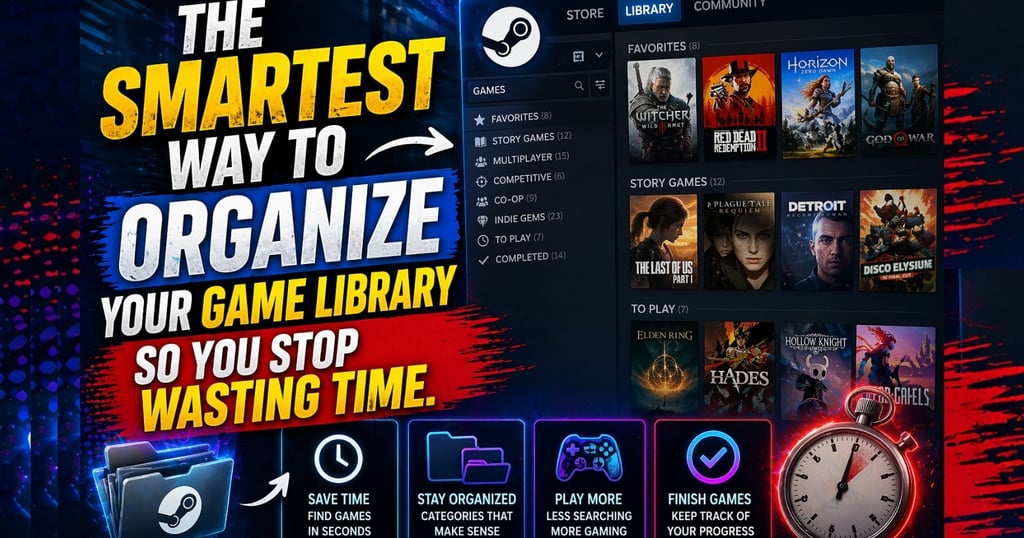
A lot of players spend money on games faster than they can actually enjoy them. Over time, that creates a huge library full of unfinished campaigns, random installs, forgotten purchases, and storage chaos. Instead of making gaming feel exciting, a messy library often turns it into indecision.
The good news is that organizing your game library does not require special software or a complicated system. You just need a smarter way to decide what stays installed, what gets archived, what gets prioritized, and what stops stealing your attention.
If your library feels messy, slow, or stressful, this is one of the easiest quality-of-life fixes you can make.
Why a disorganized game library feels worse than people admit
Players usually think the problem is “too many games.” That is only half true.
The bigger problem is lack of structure.
When a library is disorganized, you waste time on:
- scrolling instead of playing
- re-downloading old titles
- forgetting what you wanted to finish
- jumping between too many games
- keeping installed games you do not actually touch
- buying new games because you forgot what you already own
That is not just inefficient. It also kills momentum.
A better library structure makes gaming feel lighter and easier.
Step 1: Separate your library into real categories
The fastest way to clean up your gaming life is to stop treating every game the same.
A smart basic structure is:
Currently Playing
These are the games you are actively using right now.
Finish Soon
Games you are close to completing and want to wrap up.
Ongoing Games
Live-service titles, sports games, or games you revisit regularly.
Backlog Worth Keeping
Games you genuinely want to play later.
Archive or Uninstall
Games you are not touching anytime soon.
This instantly makes your library feel more intentional.
Step 2: Keep fewer games installed at once
A lot of players keep too many games installed “just in case.” That usually creates clutter instead of freedom.
If you keep:
- 3 to 5 active games
- 1 or 2 comfort games
- a few longer-term titles
your system stays easier to manage and your attention stays more focused.
This also helps with storage, updates, and download management.
More installed games does not always mean more choice. Often it just means more noise.
Step 3: Use your play habits, not your fantasy habits
Many players organize for the version of themselves they wish they were.
That means keeping:
- giant RPGs they are not going to start yet
- competitive games they no longer enjoy
- old installs they “might return to”
- titles they downloaded because everyone else was talking about them
A better system is based on reality.
Ask:
- What am I actually playing this month?
- What do I truly want to finish?
- What games do I realistically return to?
- What is just taking space and attention?
A good library reflects your real habits, not gaming guilt.
Step 4: Prioritize by mood and time
Not every game fits every day.
One of the smartest ways to organize a library is by usage style:
- short-session games
- long-session games
- comfort games
- focus-heavy games
- multiplayer games
- “weekend” games
This makes it easier to pick something that matches your time and energy instead of opening five games and closing all of them.
A game library should help decision-making, not slow it down.
Step 5: Stop treating the backlog like homework
A backlog should be a list of opportunities, not a source of stress.
Many players ruin their own library experience by turning the backlog into a guilt machine. They start measuring progress like work instead of enjoyment.
A better approach:
- keep only the backlog games you still care about
- remove titles you no longer feel excited about
- let go of “I paid for it, so I must finish it”
- focus on what still sounds interesting now
An organized library is not about forcing yourself through games. It is about making access to the right games easier.
Step 6: Use storage as part of the strategy
Storage and library organization go together.
If your drive is always full, you should decide what deserves permanent space. Usually that means:
- live-service or regularly played games
- multiplayer titles with frequent sessions
- one or two long games you are actively progressing through
- comfort games you return to often
Everything else can rotate.
The goal is not to keep everything installed forever. The goal is to keep the right things available.
Step 7: Review your library regularly
A library will slowly get messy again unless you review it.
A simple routine works:
- once every week or two
- check what you actually played
- remove dead weight
- update your “currently playing” group
- move finished or dropped games out of the active zone
This keeps the system alive without making it complicated.
Why this makes gaming feel better
A better library does more than save storage. It reduces friction.
You spend:
- less time deciding
- less time scrolling
- less time reinstalling
- less time feeling overwhelmed
And you spend more time actually playing.
That is the whole point.
Final thoughts
The smartest way to organize your game library is not by making it perfect. It is by making it useful. Keep active games visible, rotate what you are not using, stop pretending every purchase needs to stay installed, and organize around your real habits.
When your library becomes easier to understand, gaming becomes easier to enjoy. And that is worth far more than having the longest list of installed games.
Xbox Support, manage storage and installs: Manage storage on your Xbox console
PlayStation Support, manage console storage on PS5: PS5 console storage space
Steam Support, storage manager and installed content tools: Steam Support
MUNDIALGAME
Practical gaming guides, honest reviews, and budget-friendly advice for PC, PS5, Xbox, Nintendo Switch, and Steam Deck player
Contact
Newsletter
contact@mundialgame.com
© 2026. All rights reserved.