
7 Beginner Mistakes That Ruin Your Gaming Setup Faster Than You Think
A lot of gamers waste money and comfort by making simple setup mistakes. These are the beginner errors that hurt performance, organization, and long-term value the most.
HARDWARE TIPS
MundialGame
4/21/20264 min read
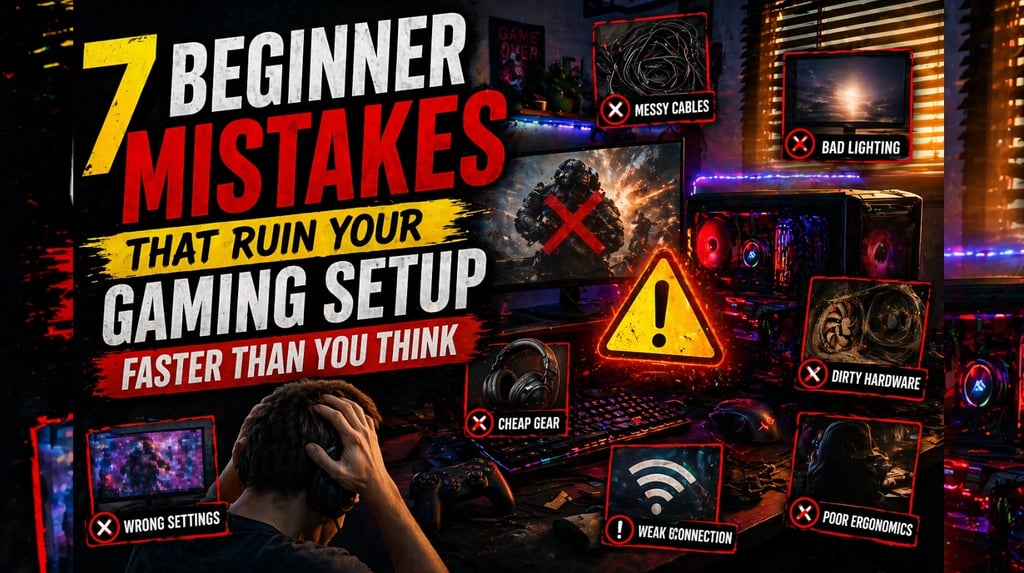
Building a gaming setup looks easy from the outside. Buy a monitor, grab a keyboard, throw in some lights, and you are done. In reality, a lot of players waste money and create long-term problems because they focus on the wrong things first.
The most common gaming setup mistakes are not always dramatic. They are small decisions that slowly make the setup feel worse, less comfortable, less practical, and more expensive than it needed to be.
If you are building or improving a setup, avoiding these beginner mistakes can save money, improve comfort, and make the whole space feel better to use every day.
1. Spending too much on looks before fixing the basics
This is one of the biggest beginner mistakes in gaming setups.
A lot of people buy:
- RGB strips
- wall decor
- premium desk accessories
- branded extras
- “aesthetic” items for photos
before they fix the real priorities.
A setup should first work well. That means:
- the display is good enough
- the chair and desk are comfortable
- the storage situation makes sense
- the controller, mouse, or keyboard actually feels good
- the main gaming device runs the games you care about properly
A clean setup with smart priorities will always be better than a flashy setup with weak fundamentals.
2. Ignoring monitor quality and focusing only on size
Bigger is not always better.
A lot of players think a large screen automatically means a better experience. But a weak monitor with poor motion handling, bad colors, high input lag, or the wrong refresh rate can make gaming feel worse no matter how big it is.
What matters more than size alone:
- refresh rate
- input lag
- response quality
- image clarity
- color and contrast
- matching the monitor to your system
If you mainly play competitive or fast-paced games, smoothness and responsiveness matter more than simply having a bigger panel.
3. Buying accessories you do not actually need
Many setups become expensive because the owner buys based on hype instead of use.
Examples:
- expensive mechanical keyboards for someone who mainly plays with a controller
- oversized gaming mice for players who mostly play story-driven titles on console
- headset upgrades when the real problem is an uncomfortable chair
- premium mic arms and desk gadgets before the player even has a good display
A setup should match how you actually play, not what looks impressive online.
The best question to ask before buying anything is simple:
Will this improve my daily gaming experience, or does it just look cool?
4. Letting cable mess ruin the whole space
Cable management sounds boring, but it changes how a setup feels more than people expect.
Messy cables create:
- visual clutter
- cleaning difficulty
- accidental unplugging
- less usable desk space
- a setup that always feels unfinished
You do not need a perfect influencer-style cable setup. But basic organization helps a lot.
Even simple fixes like:
- routing cables behind the desk
- using ties or sleeves
- keeping power bricks off the main floor area
- separating charging cables from main display and power cables
can make the setup feel cleaner and easier to use.
5. Forgetting comfort until the setup is already frustrating
A gaming setup is not only about performance. It is also about how your body feels after one hour, two hours, or a whole evening of use.
Beginners often ignore:
- chair support
- screen height
- desk height
- wrist position
- controller grip comfort
- posture
That becomes a problem fast.
A setup that looks great but hurts your neck, wrists, or back is not a good setup. Comfort upgrades are often more important than flashy performance extras for long-term use.
6. Running out of storage and pretending it is not a problem
A lot of gamers live in constant storage chaos.
They keep uninstalling games, re-downloading huge files, losing clips, and dealing with system clutter because they never take storage seriously. Modern games are large, and a bad storage plan makes the whole setup feel annoying.
A smart setup should consider:
- how many games you keep installed
- whether fast storage matters for your platform
- whether you need extra SSD space
- whether you are constantly deleting large titles
Storage is not a glamorous upgrade, but it is one of the most practical ones.
7. Building for today only and not for future upgrades
A lot of setups are planned with zero long-term thinking.
That creates problems like:
- buying a desk with no room for expansion
- choosing weak accessories that need replacing fast
- ignoring future display upgrades
- filling every outlet and USB port immediately
- creating a space that cannot grow with your gaming habits
Even a budget setup should leave room for improvement.
That does not mean overspending. It means thinking ahead just enough to avoid rebuilding everything later.
Why these mistakes matter more than people think
None of these mistakes sound catastrophic on their own. That is exactly why so many people make them.
The problem is the way they stack.
A setup with:
- weak priorities
- poor monitor choice
- wasted accessory spending
- messy cables
- low comfort
- bad storage planning
- no upgrade path
ends up costing more and feeling worse than a smarter setup built with half the hype.
Good setups are not always the most expensive. They are the ones with the clearest priorities.
Final thoughts
A great gaming setup is not built by buying random “gamer” products. It is built by solving real problems in the right order.
If you avoid these beginner mistakes, your setup will feel cleaner, more comfortable, more efficient, and more worth the money. That matters much more than trends, branding, or social media aesthetics.
In the long run, the best setup is the one that feels good every time you sit down to play.
Microsoft, change monitor refresh rate in Windows: Change the refresh rate on your monitor in Windows
Xbox Support, manage storage: Manage storage on your Xbox console
PlayStation Support, PS5 SSD expansion: How to install an M.2 SSD in a PS5 console
MUNDIALGAME
Practical gaming guides, honest reviews, and budget-friendly advice for PC, PS5, Xbox, Nintendo Switch, and Steam Deck player
Contact
Newsletter
contact@mundialgame.com
© 2026. All rights reserved.